 |
CANopen Master Protocol Stack
Version 7.00.02
|
|
CANopen Master Protocol Stack
Version 7.00.02
|
The CANopen FD Master protocol stack for the NUCLEO-H563ZI runs on a bit-rate of 500 kBit/s on interface CAN2. Please make sure that:
For display of the CANopen network state the example uses the LEDs LD1 (green) and LD3 (red), the symbol COM_LED_SUPPORT is configured to 1.
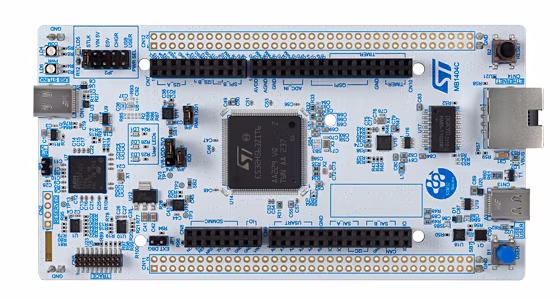
The example uses Classical CANopen configuration (COM_FD_SUPPORT = 0) as default. Refer to the How to build section if the target should run in CANopen FD configuration.
The example project can be built if the following programs are installed:
Please make sure that the value of WIN_TOOLCHAIN_PATH (for Windows) or UNIX_TOOLCHAIN_PATH (for macOS / Linux) inside the cmake/toolchain-gcc-<version>.cmake file is equal to the install path of the GNU Arm Embedded Toolchain.
Create a local build directory and start the build process within this directory. Make sure to pass the correct toolchain (i.e. GNU Arm Embedded Toolchain) to the CMake process via the parameter -DCMAKE_TOOLCHAIN_FILE. The following examples assume a GNU Arm Embedded Toolchain version 13.2.1.
For generation of CANopen FD code use the following build steps:
For generation of CANopen FD code use the following build steps:
For compilation in Windows you have to execute following command:
The amount of Flash and RAM is given under the following conditions:
| Symbol | Value |
|---|---|
| COM_NET_MAX | 1 |
| COM_LED_SUPPORT | 1 |
All other configuration symbols (refer to com_conf.h) are set to the default value.
| Protocol | Memory size Flash | Memory Size RAM |
|---|---|---|
| Classic CANopen | 45048 | 56456 |
| CANopen FD | 49284 | 69008 |